
01
Subscription Store
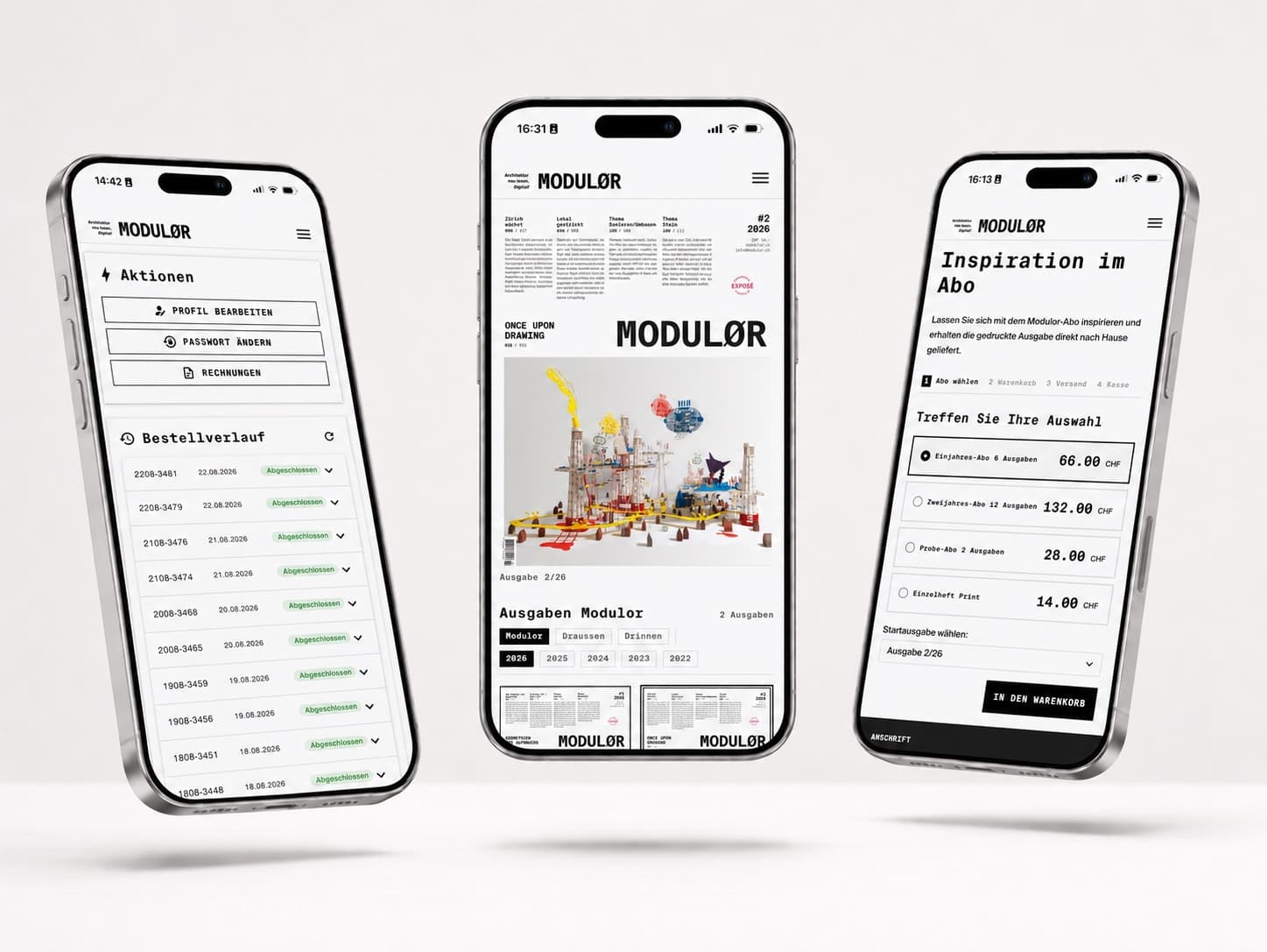
Subscriptions are selected and ordered directly online.




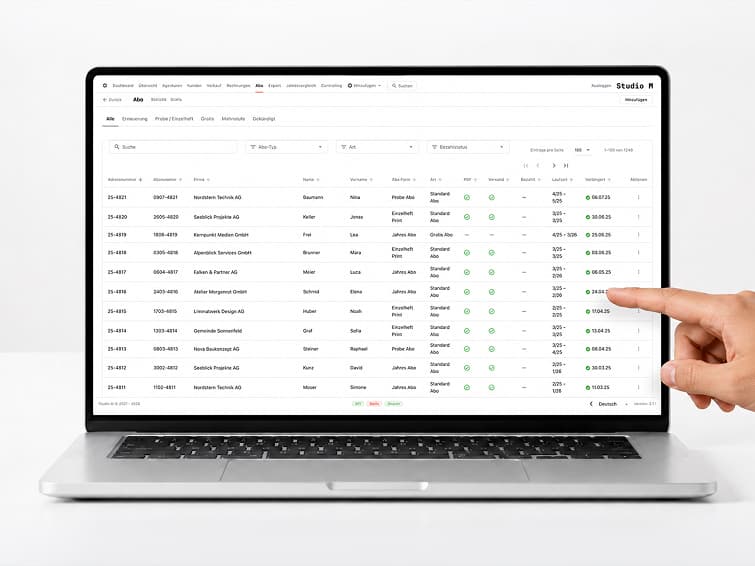
Back-office solutions for publishers and print companys: Manage subscriptions, ads, invoices, and collections all in one place, instead of using FileMaker and a variety of other tools.
The publishing software integrates subscriptions, advertisements, customers, projects, orders, invoices, and payments into a single central back-office system. Annual planning, correspondence, costs, and accounting data remain consistently linked throughout the process.
The browser-based solution operates in real time and supports multi-user access: multiple users can view the same status without having to wait for one another. It was developed in collaboration with Studio-M, is in daily use there, and replaces FileMaker and decentralized tools. This creates clear workflows, reduces duplicate lists, and provides a reliable overview of publishing operations at all times.
01 / 06
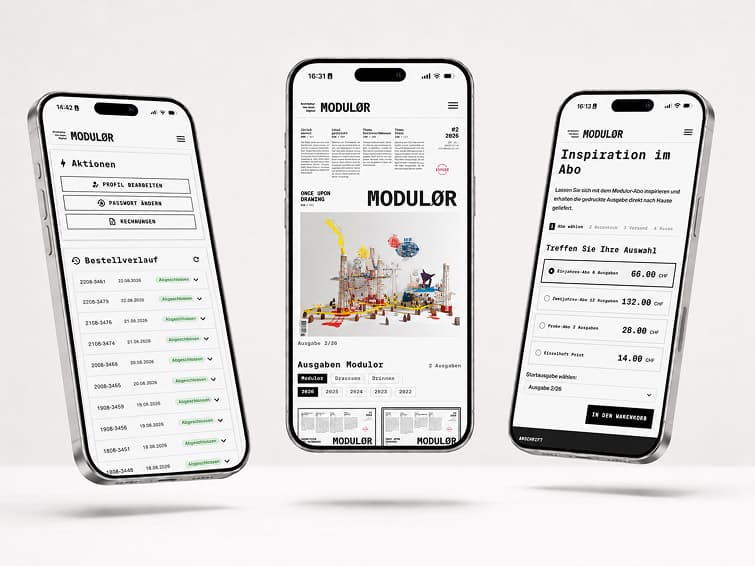
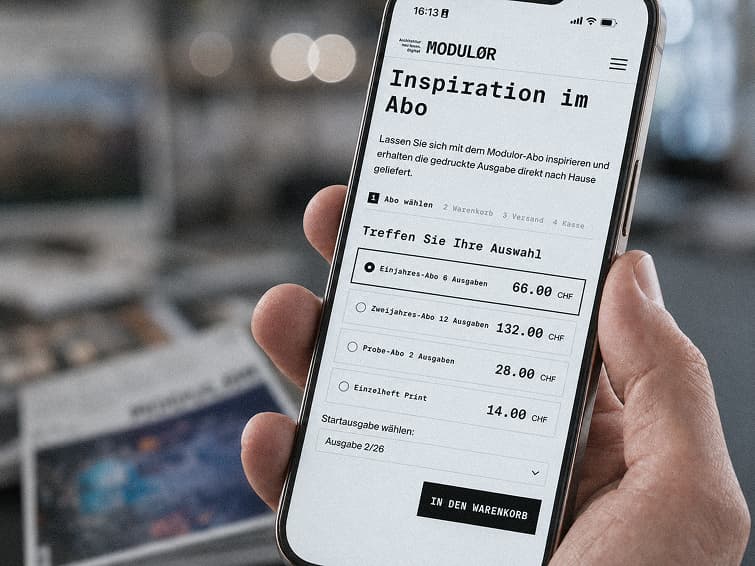
Subscriptions are selected and ordered directly online.
You can customize the duration, address, and payment method yourself.
Invoices and payment statuses can be viewed at any time.
You are responsible for updating your contact information and shipping address.
Subscriptions are managed centrally, from the initial order through changes and renewals to cancellation.
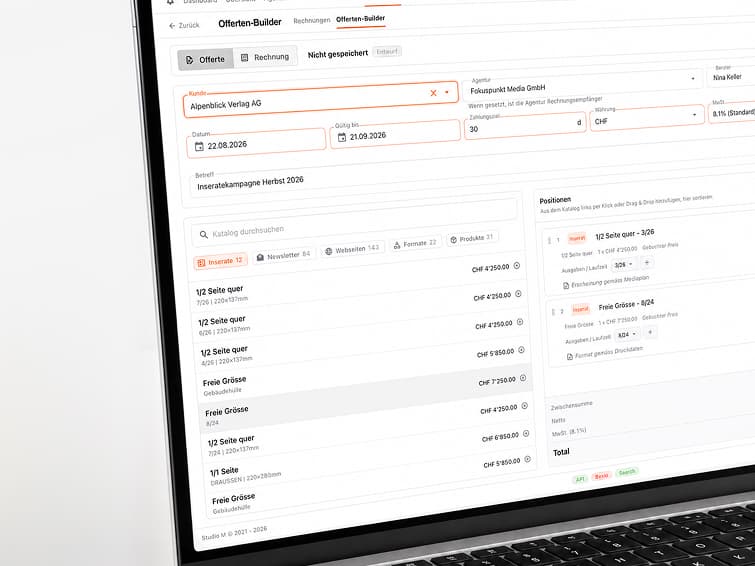
Listings can be linked to customers, expenses, prices, and individual discounts.
Issues, publication dates, services, and associated costs are clearly planned.
Customer data, contacts, and correspondence are managed centrally and assigned to the appropriate cases.
Projects, orders, and ongoing tasks remain linked to customers, deadlines, and services.
Invoices are generated for subscriptions, advertisements, and other services and prepared for mailing.
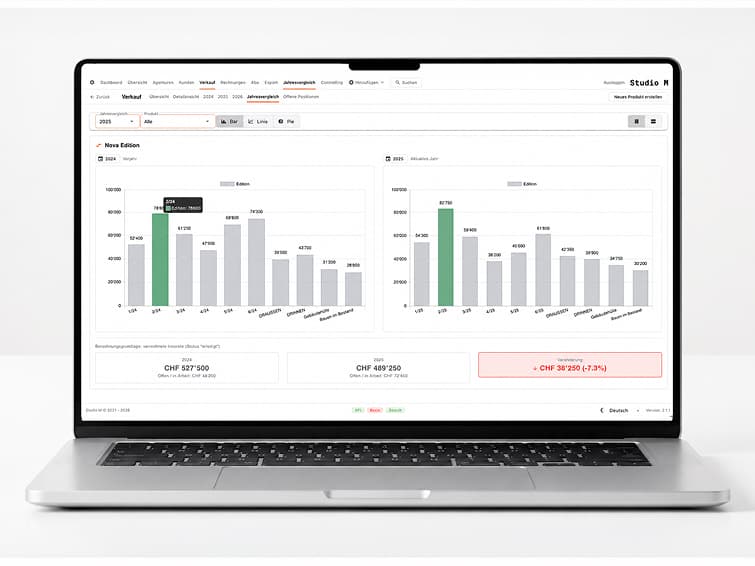
Outstanding balances, incoming payments, and payment reminders remain visible and easy to track.
Key figures and lists are available as PDF or Excel files. Invoice and customer data can be transferred to the accounting department in a structured format.
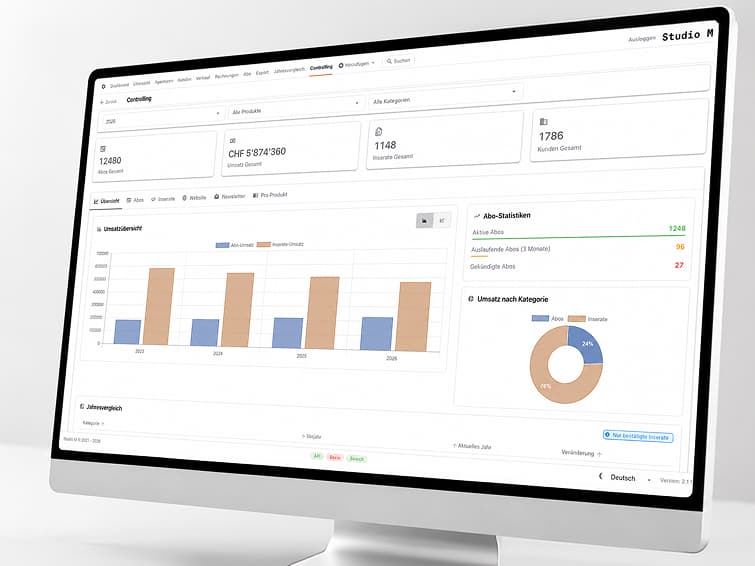
Revenue, open items, and settlements from subscriptions, advertisements, and orders can be viewed at any time. Key metrics can be analyzed by issue, customer, and time period.
Invoices are generated in batches rather than individually by hand: subscriptions, advertisements, and services are billed collectively, reviewed, and prepared for mailing.
Reminders for outstanding payments are sent in stages. Each cycle covers all due cases, and the status of each reminder is clearly documented on the receipt.
The editorial, advertising sales, administration, and accounting departments all work from the same database, with each role having its own set of permissions. Changes appear in real time for everyone involved.
Invoice, customer, and payment data are imported into the existing accounting software instead of being entered twice.
Advertising space in the newsletter is managed by duration and placement and billed in the same way as print ads.
Advertising spaces on the website are listed by duration and placement and are billed together.
«Subscriptions, ads, and invoices used to be kept in separate lists. Now, everything that needs to be done is listed in one place, and the numbers add up without any extra work.»